
Managing research:
From post-its to prototype.
Role: Design Lead for project, alongside Product Managers for prototype testing
Stakeholders: Product Team, Research Team
Tools used: GoPro, Miro, Proto.io, Sketch
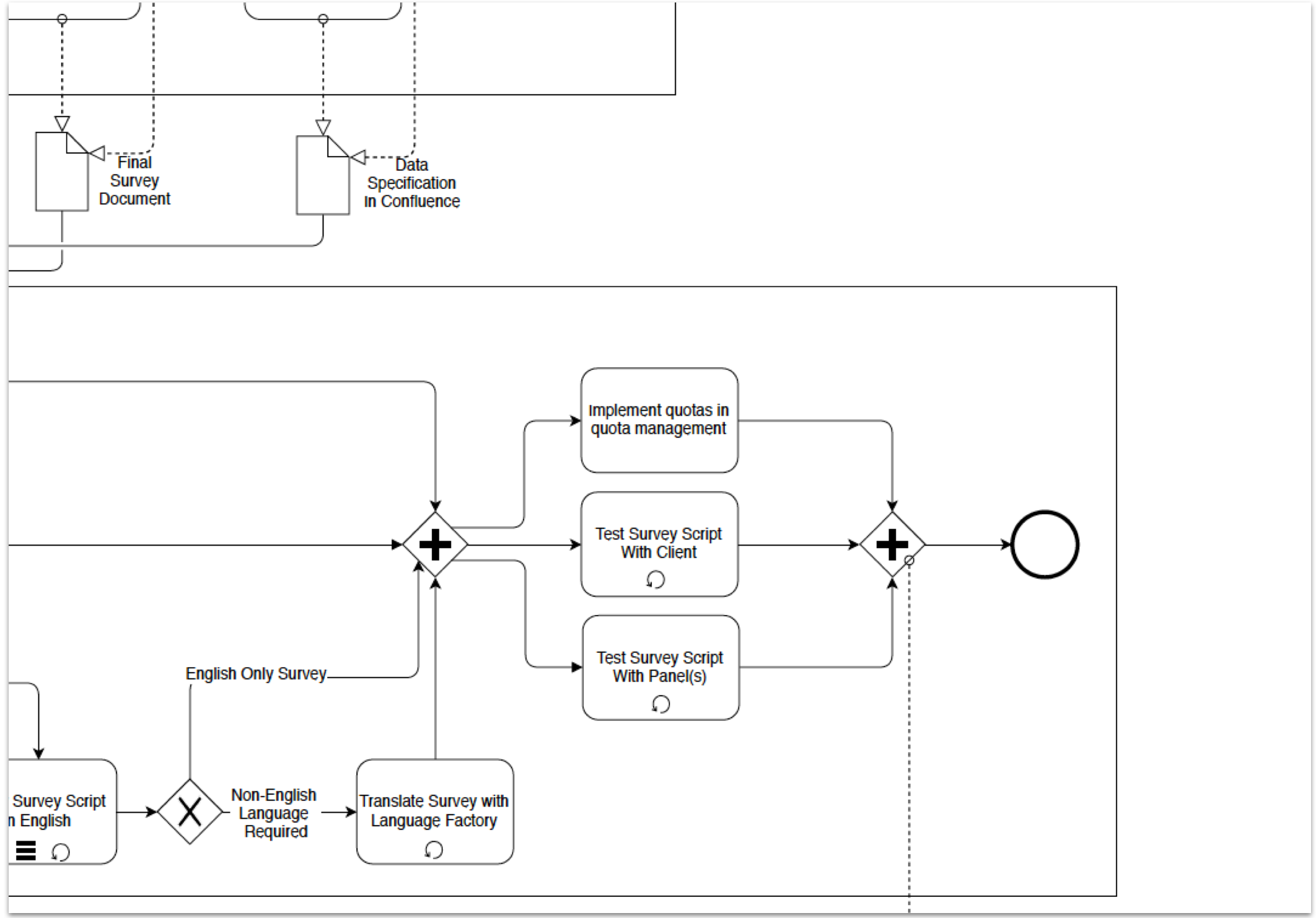
GlobalWebIndex (GWI) conduct market research, using the world’s largest survey study into the online consumer. Behind the scenes in an absolute powerhouse of a research team, who control every aspect of the study, from design (deciding what questions to ask), to managing the delivery of the survey (like how many people should we ask in certain countries?).
To do this, there are multiple layers of technology, communication, and processes in place that any researcher may be involved with at a given time. However, this costs time, and can cause delays to projects should issues occur.
what’s the Problem? 🤔
To conduct a single wave (3-month) period of research, there are countless software applications and developer commands needed to manage the entire journey. All without a user interface to help support this.
How can we design and develop a tool that brings together multiple processes in one UI?
Fortunately for this project, the client (the researchers) were immediately available to begin research and observations.
what’s the aim? 🎯
For the entire project (post MVP included), the aims were:
Produce a tool that allows for a quicker speed-to-market on survey delivery
Minimise errors through an intuitive UI
Despite having fixed aims, we were (and still are) open to changing the aims as the project moves along. One key reason for this is because we were aiming to develop a tool that is completely new, with no concrete idea where to begin, so we didn’t want to cement ourselves in too much at the project start.
tALK PROCESS TO ME 🔁
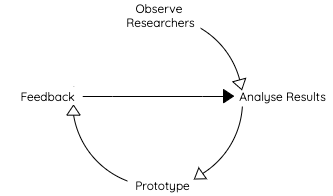
Highly accurate and complex process diagram
To begin, I recruited several participants within the research team to observe. I set up a camera along with some handy post-it notes for me to capture the results.
I would analyse the results by re-watching the videos captured, and digitising my post-its. From there, I could group results based on themes.
Prototypes were produced to tackle the key themes identified, the direction of those provided by Product Managers.
Once a prototype was produced, I demonstrated the user flows within the new tool and gathered feedback with developers and product managers.
Smile! Researchers on video! 📹
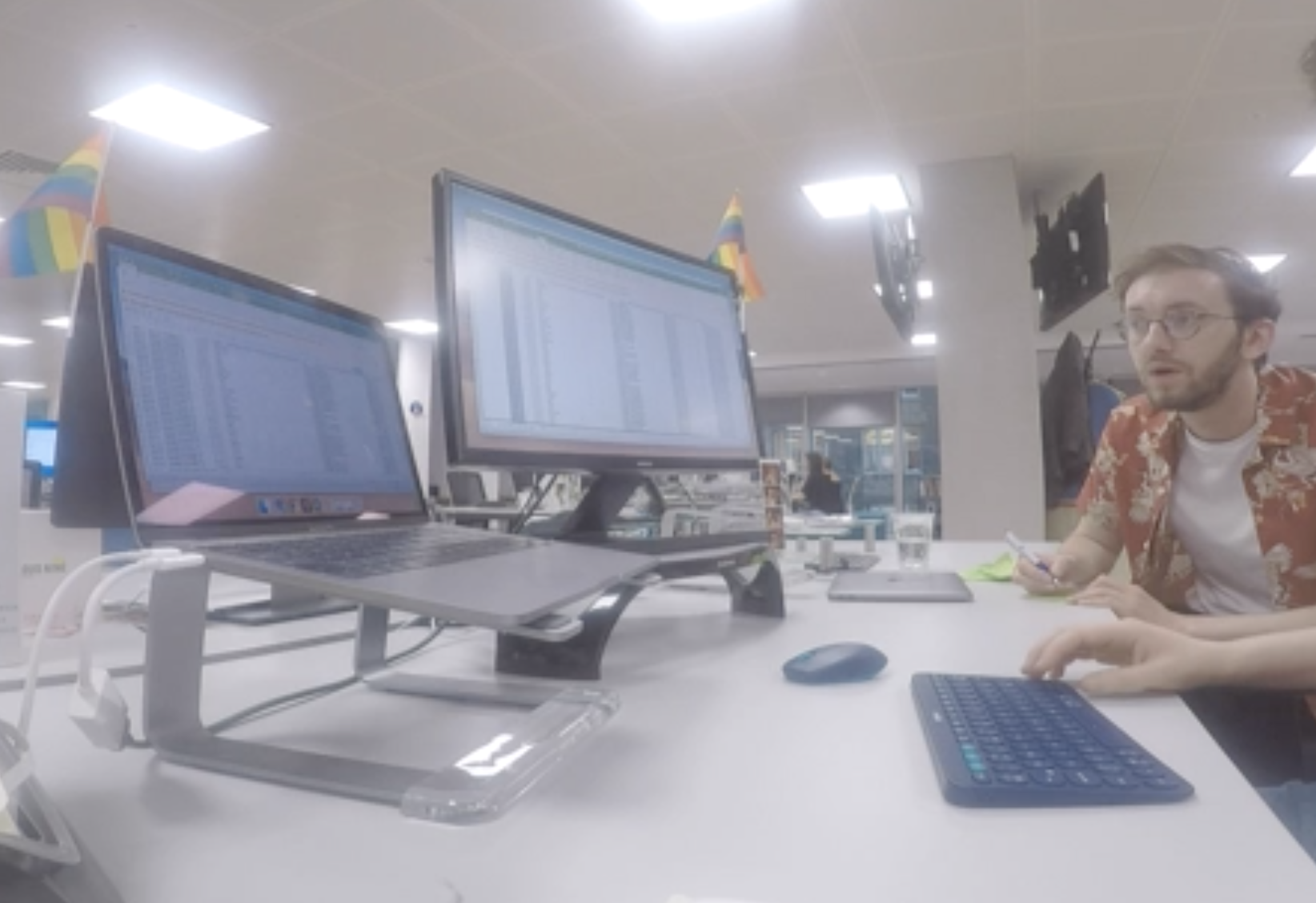
I approached some willing researchers with a simple request; “show me what you do on any regular morning”.
I recorded these sessions using a GoPro to not only help remember everything they say (permission was obviously given by those participants to record), but to get an understanding of their environment, the tools they use, their body language etc. when carrying out their day-to-day activities.
Whilst recording, I had a my trusty pen and post-it notes to further document the observations.
One of the key reasons I approached the research in this way was that I wanted to identify participants' pain points. As much as this can be explained in a conversation, it is reinforced when you see that person using tools or carrying out processes they frequently get frustrated with.
From a product planning perspective, this research enabled the product team to identify key jobs-to-be-done and provide direction for initial prototypes and user stories.
Studying the results: Affinity map style 🔍
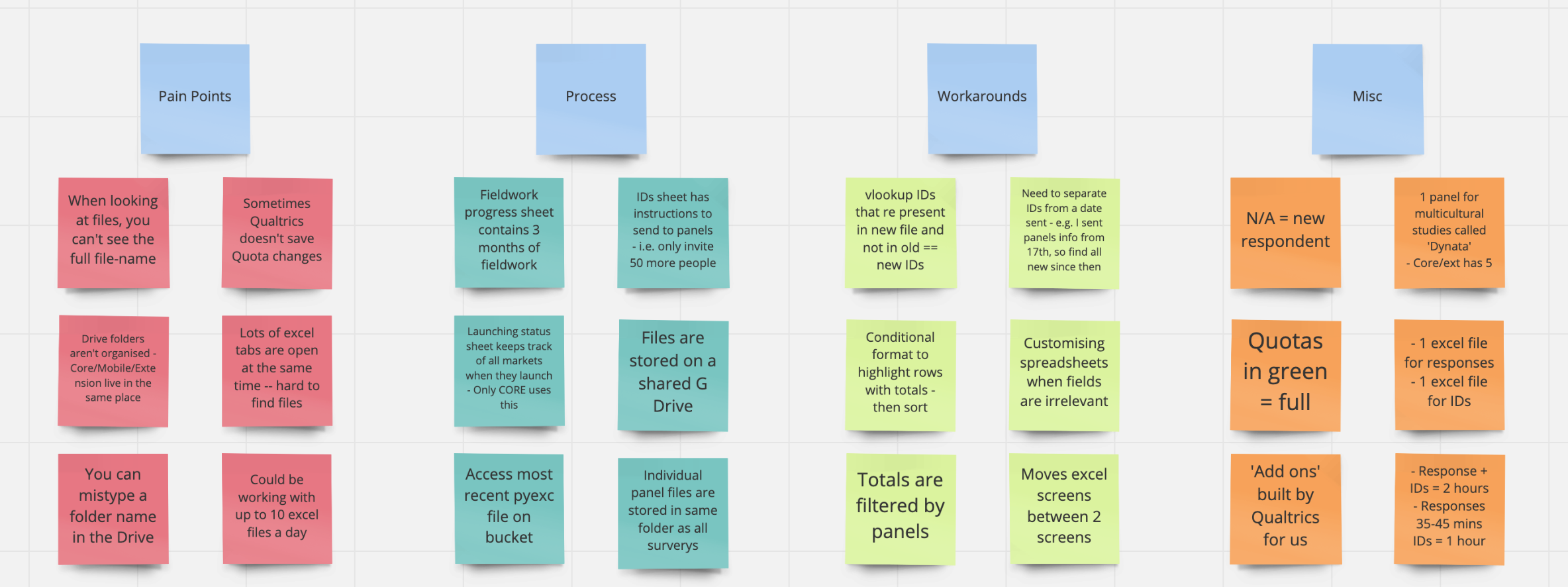
Many insights came out of this research. Specifically, users were using multiple excel files and sending lots of emails to manage their research. Furthermore, trying to manage responses received in the surveys was an extremely difficult task, because those responses were stored with multiple IDs in separate locations, and it would take hours to open multiple files and run developer commands to find and match them
(It’s laborious even trying to explain it!).
“I could be working with 10 Excel files on any given morning. It takes forever to find the survey responses I want, and then email other teams.”
I presented this information back to the Product Managers, and collectively we decided to focus on managing survey fieldwork, which in simple terms means a place that collects & stores survey responses, and allows a user to search, view, and potentially delete them (let’s say for example a response has corrupt/incomplete data).
Prototyping 🛠️
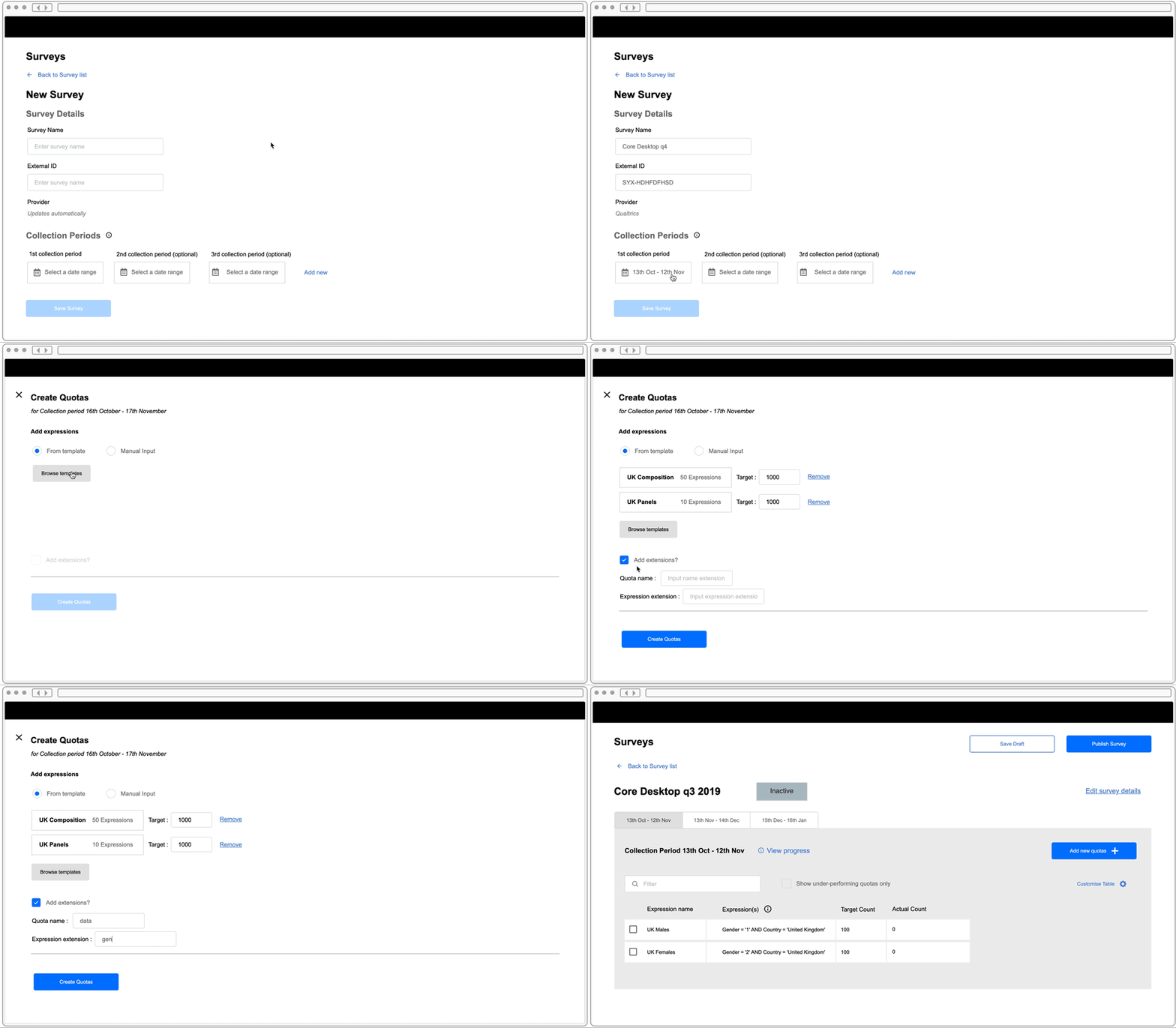
Now we had our direction, and thinking back to some of the issues raised to me in my observations, I could envisage what this new solution would look like and save the day of those troubled researchers.
Enter, Proto.io!
Using this tool, I could easily collaborate with the Product Managers and demonstrate to them my vision on the key user flows:
How does a user create a survey and add quotas to it? No problem!
How could a user search and view for the responses to their survey? Let me show you!
I found this tool so useful (I was also new to it!), but was pleased with how easy it was to produce high-fidelity wireframes, and turn those in to clickable prototypes in a rapid turnaround, all in the same tool.
Wrapping it up 🌯
Meeting regularly with the PMs, we were able to put together an MVP plan of a solution that allows users to create, launch, and track a survey (avoiding Excel and developer commands altogether!)
Once the visual designs have been implemented, the next phase would be to test out the tool with real numbers. It’s no good having a well-designed system if it can’t take the numbers!
Fundamentally, what this project has shown not just me but the team I worked with, is the importance of conducting thorough user research (and continuously referring back to it) with actual users of your product. It is easy for small-to-mid sized teams and companies to make assumptions about users, but you could end up designing tools that are unfit for purpose (and nobody wants that).
🏁 You made it! Thanks for reading!
gOT feEDBACK?
Please drop me a message with any questions or comments. Cheers!